
Why YouTube Thumbnails Matter
Learn why YouTube thumbnails shape viewer decisions, how to write better AI thumbnail prompts, and how to create meaningful A/B test variants.
A video can be excellent and still go unwatched. Before someone hears the opening line, sees the edit, or learns anything from the story, they usually make a much smaller decision: is this video worth a click?
The thumbnail helps them answer that question. It is not decoration added after the real work is finished. It is the first visual promise the video makes.
That idea shaped our AI image generator for YouTube thumbnails. We did not want to build another blank design canvas. We wanted to help creators turn a video idea into several clear visual hypotheses, compare them, and learn what their audience actually responds to.
Why YouTube thumbnails matter
People rarely inspect a thumbnail at full size. They encounter it in a crowded Home feed, beside suggested videos, or in search results—often on a phone. In that environment, a useful thumbnail has only a moment to communicate:
- what the video is about;
- what makes this version of the topic interesting;
- what emotion, result, or unanswered question is waiting inside;
- whether the video appears relevant and trustworthy.
A strong thumbnail does not need to explain the whole video. It needs to make one idea understandable at a glance.
That can improve click-through rate, but a click is not the final goal. If the image promises a dramatic result that the video never delivers, viewers leave disappointed. The better objective is qualified attention: attract the people who are likely to enjoy the video, then deliver the experience the title and thumbnail promised.
YouTube's own A/B testing system reflects this. It can compare up to three title and thumbnail combinations, but it selects the winner using watch time, not clicks alone. The packaging must attract attention and set up a video people continue watching.
What creators like MrBeast made obvious
MrBeast helped make thumbnail iteration part of mainstream creator culture. Look through the popular videos on his public YouTube channel: many covers reduce a large video concept to one instantly readable comparison, challenge, or stake.
More importantly, he has publicly described testing instead of relying on instinct. In a 2023 post about thumbnail experiments, he wrote: “Now that I can actually A/B test thumbnails I don't have to guess and I just test and see what people want.” The live X page now labels the post as deleted, but an archived capture preserves the original post.
The useful lesson is not to copy a MrBeast face, color grade, or composition. It is to adopt the underlying discipline:
- Develop more than one visual interpretation of the video.
- Make the alternatives meaningfully different.
- Put them in front of the real audience.
- Let viewing behavior challenge your assumptions.
Copying a famous thumbnail may produce something familiar, but it does not explain what works for your audience. Testing original ideas does.
Why we built the generator around references
Starting from text is useful when a creator has a new idea but no assets. It is not the only real workflow.
Creators often already have a visual system: a recurring face crop, a recognizable palette, a product photography style, or a layout their subscribers know. Sometimes the best starting point is a thumbnail from an existing video. Sometimes it is a portrait, product photo, screenshot, or location image.
That is why the generator supports three paths:
- Prompt only: describe the idea and generate a thumbnail from scratch.
- YouTube URL as a reference: import the current cover from one of your videos, then explore a new headline, composition, or visual emphasis.
- Uploaded reference images: provide your face, product, setting, or other images you have the right to use.
The YouTube URL workflow is especially useful for validating an idea. You can take an existing cover, preserve the channel's recognizable visual language, and ask a focused question: would this video be clearer if the result were larger, the background simpler, or the central contrast more obvious?
Use references as direction, not as permission to clone someone else's work. Your own previous thumbnails are the safest and most useful source because they carry your channel's identity and performance history.
How to write a useful YouTube thumbnail prompt
“Make a cool thumbnail” leaves almost every important decision undefined. A useful prompt gives the generator a creative brief.
Include these elements when they matter:
- Video promise: What should a viewer understand immediately?
- Main subject: A person, product, place, result, or comparison.
- Action or expression: What is happening, and what emotion is honest for the video?
- Setting: Studio, kitchen, game world, street, workshop, or a simple graphic background.
- Composition: Close-up or wide shot; where the subject and headline should sit; what must remain uncluttered.
- Color and light: The contrast, palette, and mood that fit the channel.
- Exact thumbnail text: Usually a short phrase that adds information instead of repeating the title.
- Constraints: What must stay accurate, what must be excluded, and which reference elements should be preserved.
Weak prompt
Make a cool thumbnail for my camera review.
Stronger prompt
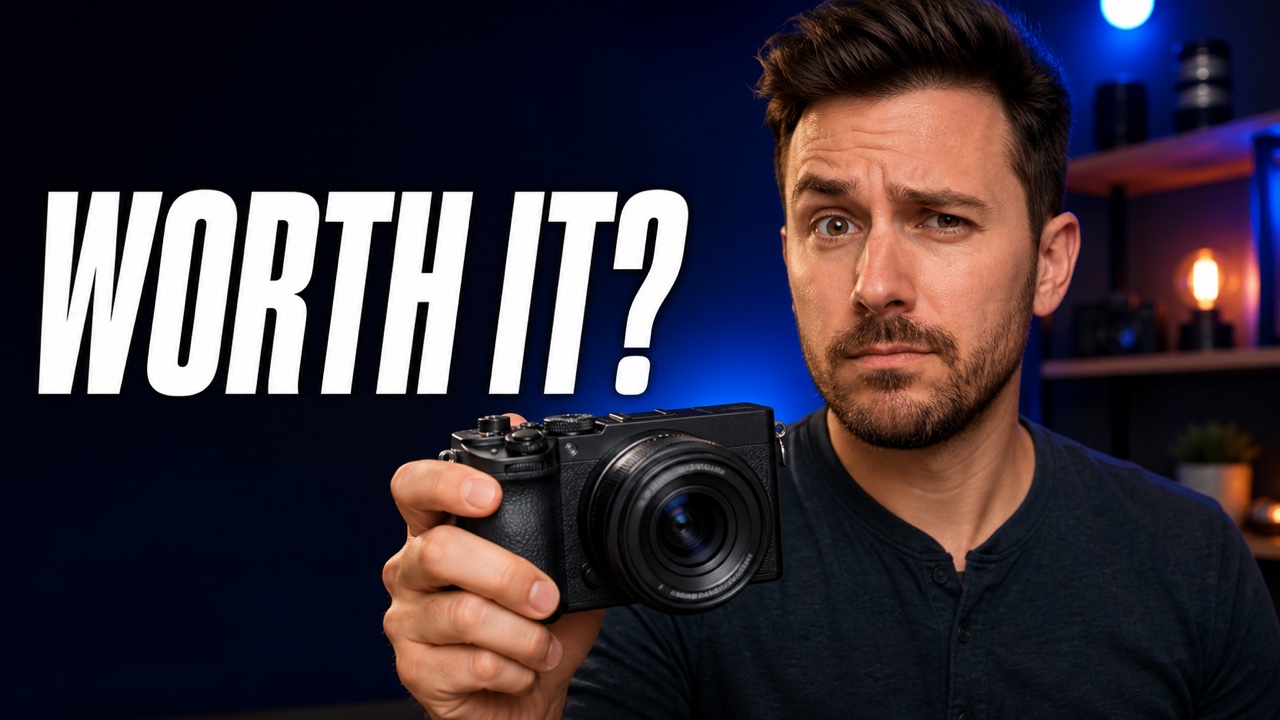
Create a 16:9 YouTube thumbnail for an honest compact-camera review. Show one adult creator holding the camera toward the viewer with a thoughtful, uncertain expression. Use a dark studio with blue and warm orange lights. Keep the creator and camera large on the right, leave clean space on the left, and add the exact text “WORTH IT?” in large white letters. Keep the image simple and readable on a phone. No logos, price tags, arrows, extra text, or exaggerated shock face.
The stronger version does not prescribe every pixel. It defines the communication problem and gives the model enough boundaries to solve it.
One video, three thumbnail hypotheses
The following original examples package the same fictional compact-camera review in three different ways. They are not merely color variations. Each one tests a different reason to watch.
Variant A: the purchase decision
This version targets viewers deciding whether to buy. The face communicates uncertainty, the product is prominent, and the text asks the question the video promises to answer.
Prompt: Create a 16:9 thumbnail for an honest compact-camera review. Put a thoughtful creator holding the camera on the right in a blue-and-orange studio. Add the exact text “WORTH IT?” on the left. Use one focal point, large mobile-readable text, natural expression, and no logos, arrows, prices, or extra words.
Variant B: the real-world test
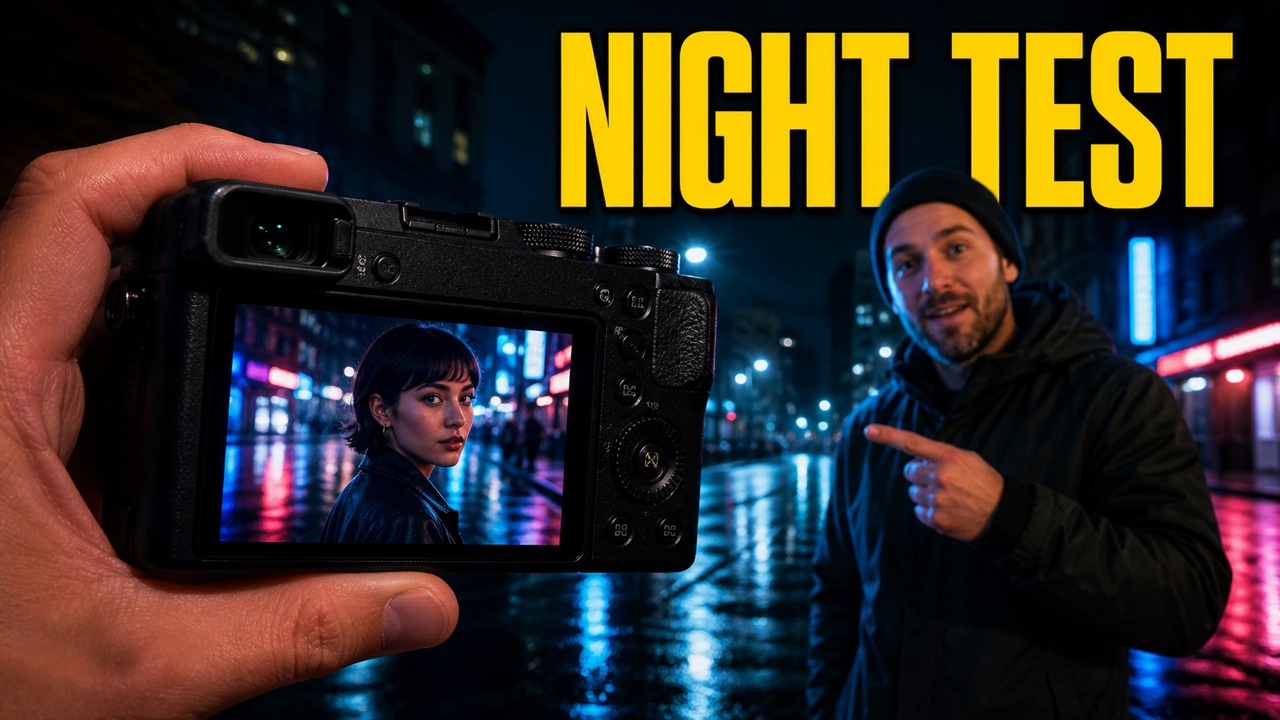
This version replaces the abstract buying question with evidence. It promises a specific test in a difficult environment, which may appeal more strongly to viewers who care about low-light performance.
Prompt: Create a 16:9 thumbnail for the same camera review, now framed as a real night test. Show the camera large in the foreground on a rainy city street, with a crisp portrait visible on its screen and the creator pointing to the result. Add the exact text “NIGHT TEST.” Use blue city light, a warm yellow headline, and no fake statistics, logos, arrows, or extra text.
Variant C: the visual proof
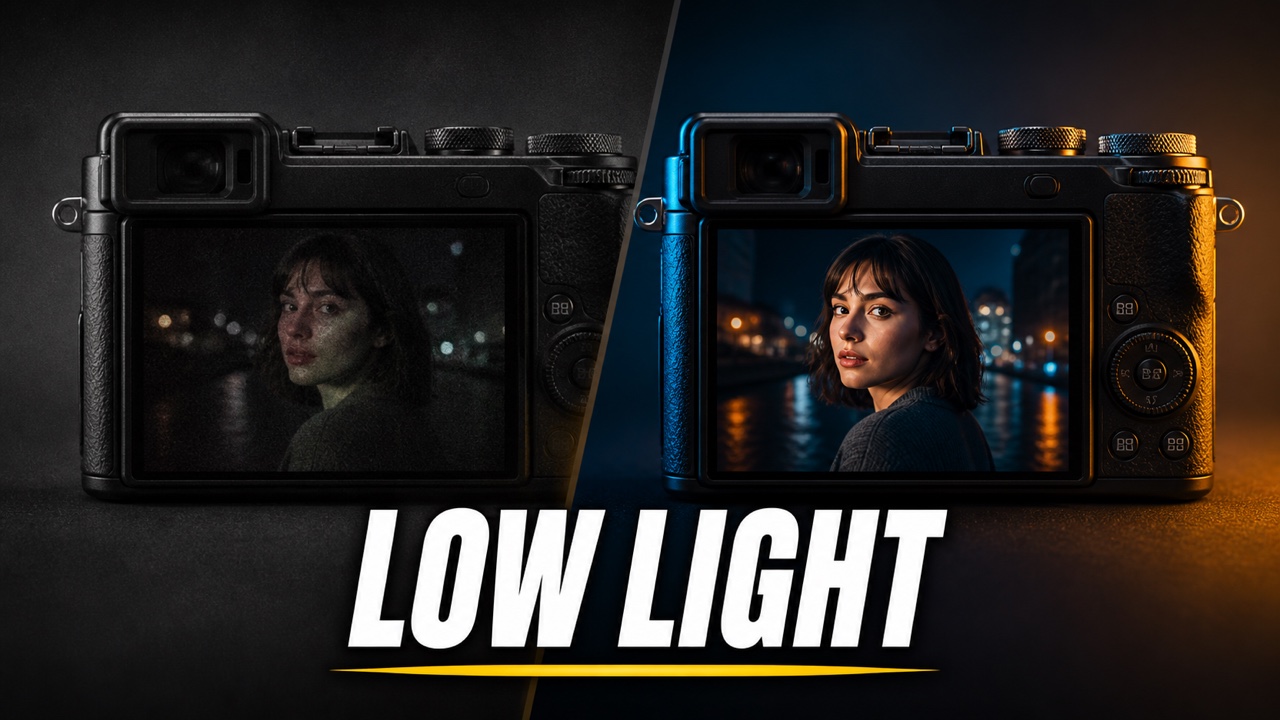
This version removes the presenter and makes the result itself the story. The before-and-after structure is instantly legible, but it should only be used if the video contains a fair comparison that supports the promise.
Prompt: Create a 16:9 comparison thumbnail for the same camera review. Use a diagonal split: a dull, noisy low-light portrait on the left and a crisp, vibrant low-light portrait on the right, each shown on a generic camera screen. Add the exact text “LOW LIGHT.” Do not include people outside the sample photos, fake numbers, logos, arrows, or extra text.
These three versions answer one strategic question: which promise makes the right viewer want this camera review? The purchase verdict, the field test, and the visual comparison are different hypotheses, even though the underlying video remains the same.
How to plan a meaningful A/B test
Generating alternatives is only useful if the test can teach you something.
1. Choose the question before the images
Decide what you want to learn. For example:
- Does the audience prefer a human reaction or product evidence?
- Does a result-focused cover outperform a process-focused cover?
- Does a short headline clarify the idea, or is the image stronger without text?
2. Keep the promise honest
Every variant must represent something the video actually contains. A clearer promise is optimization; an invented promise is clickbait.
3. Make variants distinct
YouTube recommends testing meaningfully different options. Tiny changes can take longer to produce a clear result. Change the visual hypothesis—not just the shade of blue.
If you want to isolate the thumbnail, keep the title fixed and use a thumbnail-only test. If you change both title and cover, you are testing the package as a whole.
4. Test with real viewers
YouTube Studio can test up to three versions. According to YouTube, a test may take several days or up to two weeks, depending on impressions and audience behavior. Avoid declaring a winner after a small burst of traffic.
5. Read beyond CTR
CTR tells you whether people clicked after seeing an impression. Watch time helps show whether the packaging attracted viewers who stayed. Also review retention, traffic sources, and the comments around viewer expectations.
A lower-click thumbnail can sometimes bring a better-matched audience. The goal is not the largest number in isolation; it is a stronger relationship between promise and viewing experience.
Rework an existing thumbnail without losing your channel identity
You do not need to wait for the next upload. YouTube itself suggests refreshing thumbnails and metadata on older videos to help them find new viewers.
For an existing video:
- Paste your video's YouTube URL into the generator and import its current thumbnail.
- Identify one problem to solve: unclear subject, weak contrast, crowded text, or a result that is too small.
- Tell the generator what to preserve—such as the creator's identity, channel palette, or familiar layout.
- Ask for a different visual hypothesis, not a cosmetic duplicate.
- Generate multiple options and inspect each one at phone size.
- Run a thumbnail-only A/B test in YouTube Studio when the feature is available for the video.
An example reference prompt might be:
Use my imported thumbnail as a channel-style reference. Keep the warm orange palette and bold left-side headline, but create a new composition for a “Deep Work for 30 Days” video. Make the creator wearing headphones the only person, simplify the background, and use the exact text “30 DAYS FOCUSED.” Do not copy the old video's objects or wording.
A final pre-publish checklist
Before uploading a generated cover, ask:
- Can I understand the main idea at a small size?
- Is there one dominant focal point?
- Does the thumbnail add to the title instead of repeating it?
- Is every word spelled correctly and readable?
- Does the emotion fit what actually happens in the video?
- Do I have the right to use every uploaded image and recognizable person?
- Are my test variants different enough to answer a useful question?
- Would someone who clicks receive the experience this image promises?
The real reason to generate more than one thumbnail
An AI thumbnail generator is not valuable because it can produce a polished image quickly. Its deeper value is that it lowers the cost of asking better creative questions.
Instead of debating one cover in the abstract, you can turn three ideas into three visible options. Instead of copying the visual habits of a large channel, you can discover which promise works for your own viewers. Instead of treating a thumbnail as a last-minute asset, you can treat it as part of the video's strategy.
Create your own YouTube thumbnail variants, then test the strongest ideas with the audience that matters: yours.
Sources and further reading
- Add custom thumbnails on YouTube — YouTube Help
- A/B test titles and thumbnails — YouTube Help
- Optimize and evolve your content — YouTube for Creators
- Impressions and click-through-rate FAQs — YouTube Help
- MrBeast on testing thumbnails instead of guessing — archived post
- YouTube thumbnail dimensions and design practices — Shopify